
Import Tournament Schedule from Spreadsheet
Brackets allows scheduled games to be imported directly from a spreadsheet, provided the file includes the required columns and corresponding data.
Before importing, the tournament administrator should ensure that all group names, pools/divisions and venues have been properly set up in Brackets.
To import the schedule, in Brackets navigate to Schedules—>Manage Games—>Import Games
Download an "example spreadsheet" using the button circled below. This example uses your actual tournament data and serves as an excellent template for the final spreadsheet required for the import.
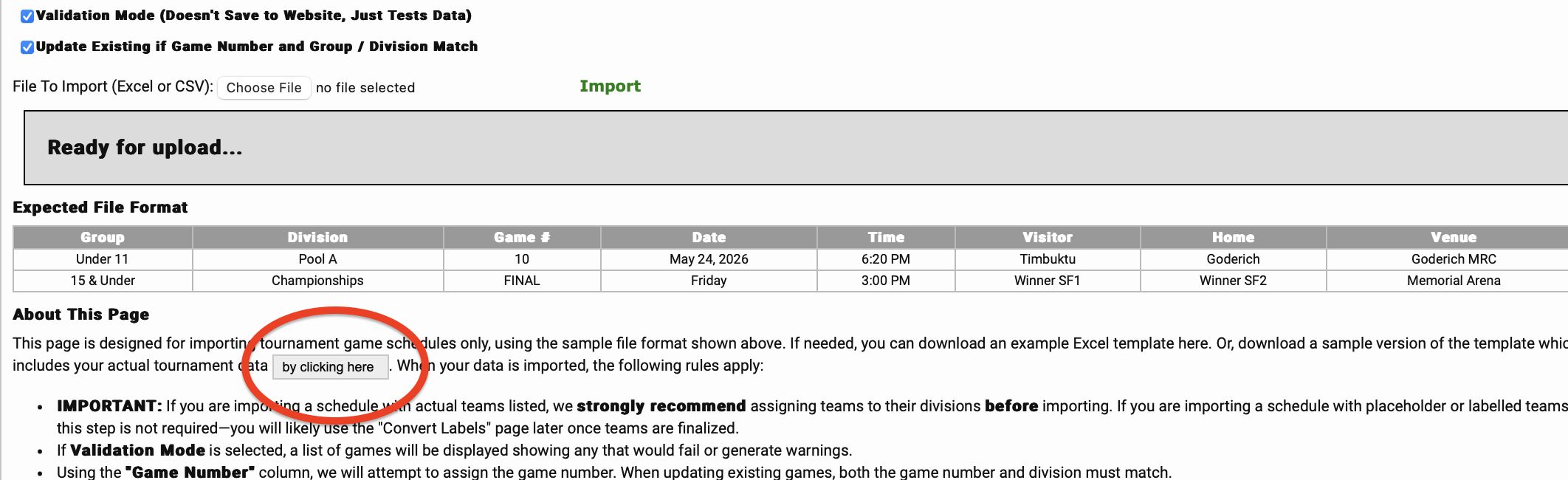
For your spreadsheet, you will want to;
- Use exactly the same column names in the example template's header row;
- Ensure the same group(s), division(s) and venue(s) names are used in the row data;
- Add your games including (date, start time, home team, visitor team).
For your round-robin games, the home and away team names should be spelled exactly as listed in your Registered Teams section. The slightest misspelling will create a "label" and require further attention after uploading. (see bottom of the page)
For the playoff games, use generic "labels" for the home and visitor team names, ie; 1st in Pool A and 2nd in Pool B or Winner of SF1 and Winner of SF2.
- Add your game numbers. For each group's quarter-finals, semi-finals and championship game it is recommended to use the following format. QF1, QF2, QF3, QF4, SF1, SF2, F as the game numbers.
With your spreadsheet saved to your desktop, you can now upload to Brackets. Schedules—>Manage Games—>Import Games
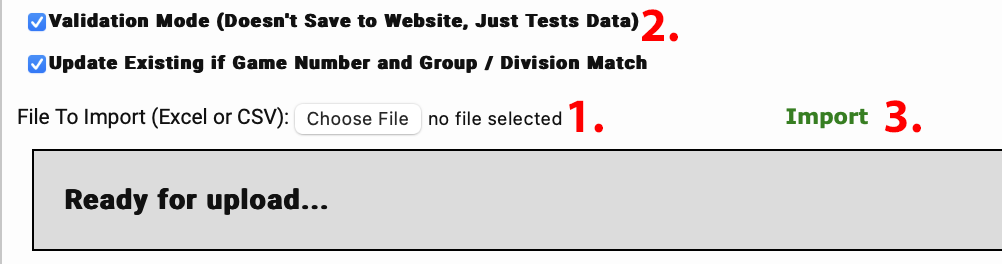
- Click the Choose File button and locate the spreadsheet file on your computer;
- To test the spreadsheet file without uploading the schedule, check the Validation Mode checkbox.
- Click on the green Import link. The results of the test will be displayed.
- To upload the schedule, repeat the above steps, instead, uncheck the Validation Mode checkbox. The results of the upload will be displayed.
If "Labels" are created for either your home or away team names, use the convert labels tool to fix.