
Brackets Lineup
Manage your players and coaches in Brackets
Setup
Registration Setup-->Team Self-Management Portal--> Lineup (click grey Lineup Settings tab)
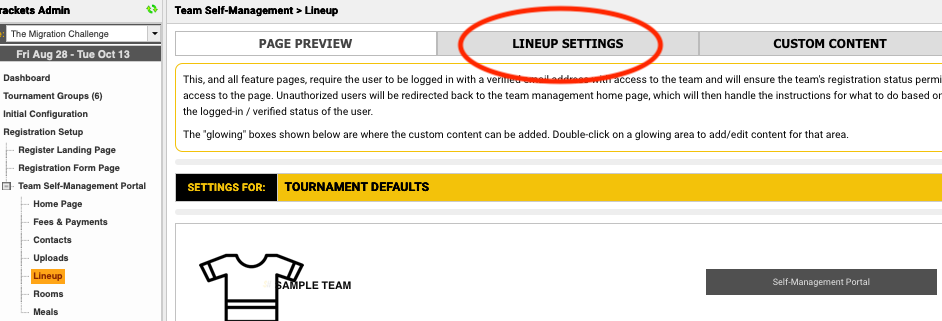

Click on your tournament name row and the following window will open
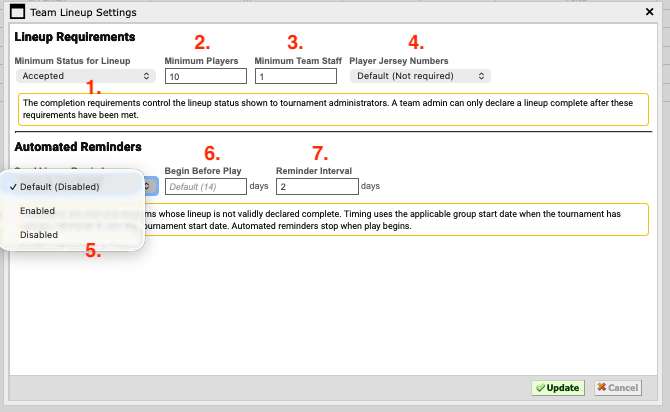
1. Team reg. status level required to add player/coach lineup.
2. Min number of players required for the player roster to be declared complete.
3. Min number of staff required for coach roster to be marked complete
4. If player jersey number are required or not.
- Are automated email reminders required ?
- When do you want the automated email reminders to start ? # of days before the tournament.
- How frequent do you want the reminder emails to be sent ?
Team Admin / Tournament Admin Uploads
The team's coach or manager can upload their players and coaches directly from a spreadsheet. Tournament admins can upload the same spreadsheet on behalf of the team.
On the team's self-management portal, click the Lineup tab – then click the Manage Lineup button
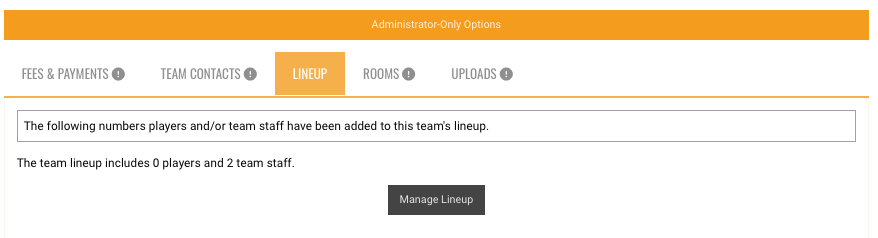
A new window will open;
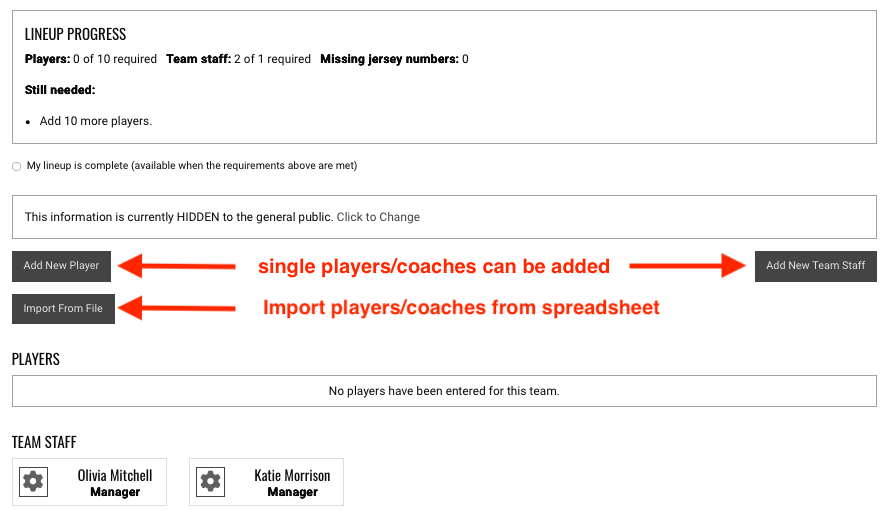
Click the Import From File button and the import window will open.
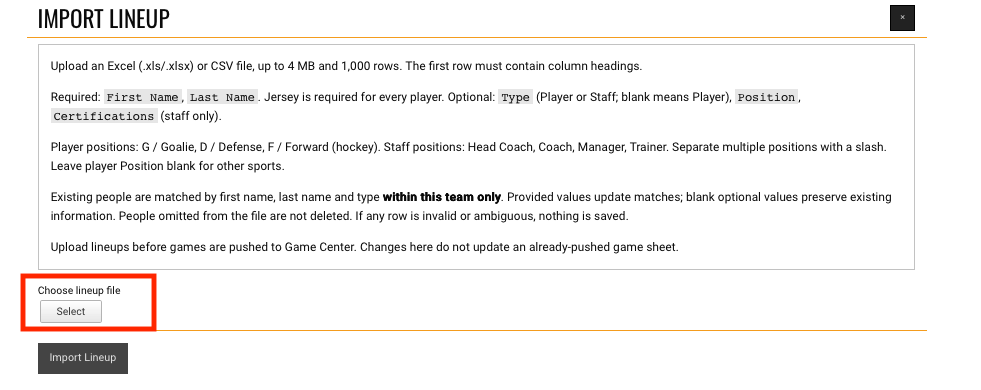
Choose the lineup file button to locate the spreadsheet file on your computer;
Click the Import Lineup Button to add the players and coaches.