
Brackets Team Registered for Wrong Group
In the event a team registered for the wrong group, the tournament director can easily move the team to the correct group.
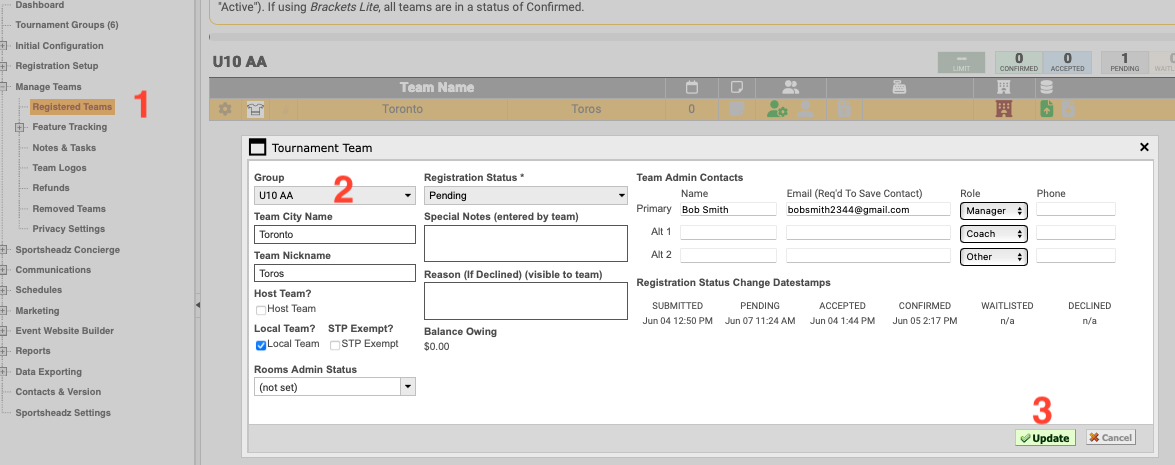
- In Brackets, navigate to Manage Teams—>Registered Teams and double-click on the team you want to update
- Select the correct group in the "Group" drop-down
- Click Update
Note: If the team has already been marked as "Accepted," fees will have been generated based on the original group. These fees will carry over when the team is moved to the new group.
If the fee structure is different in the new (correct) group, simply update the team's registration status to "Pending" and save the change. Then, immediately change the status back to "Accepted." This will apply the correct fees for the new group. **teams will receive the pending and accepted emails again.